 TRIPORY
02TRIPORY / HOW-TO
How to
Three quiet steps to keep a journey.

01
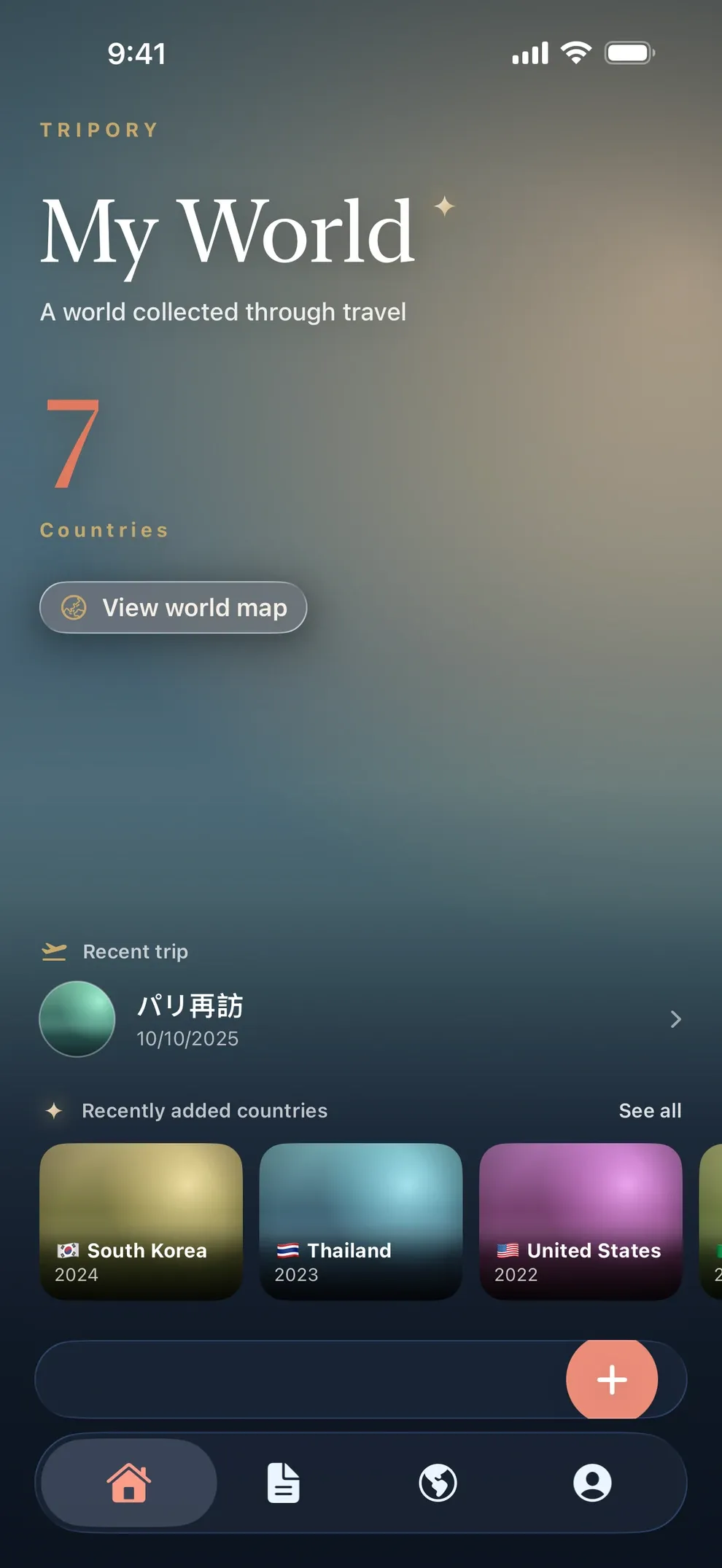
Set your home country
Start by choosing where you live. It becomes the baseline: that country counts as visited and drops out of destination suggestions. You can change it later in Settings.
02
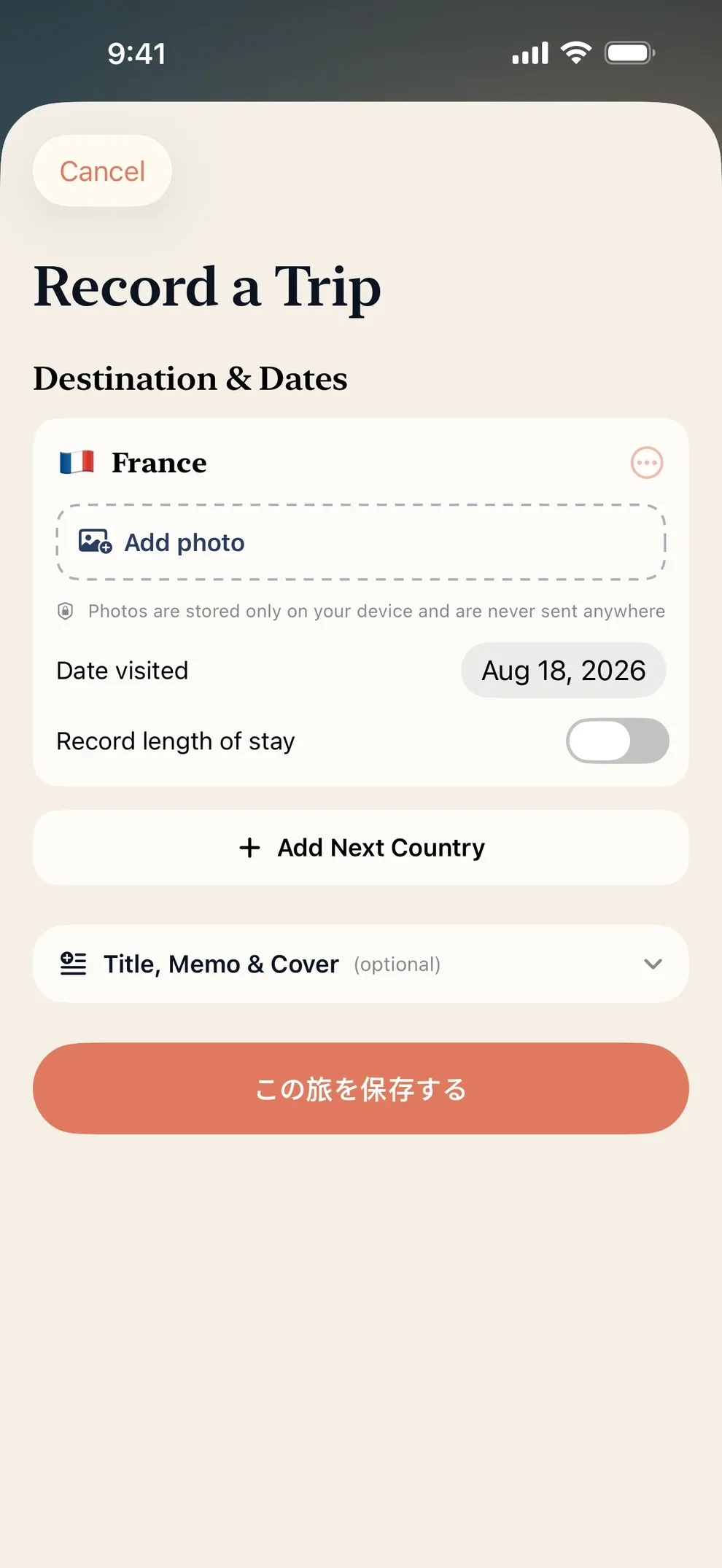
Start a trip
Keep a destination and dates. Not to colour a country, but to hold that stretch of time as one journey.

03
Add a photo and a note
Attach a chosen photograph and a few words from that moment. It uses the standard iOS picker, so the app never sees your full library.
04
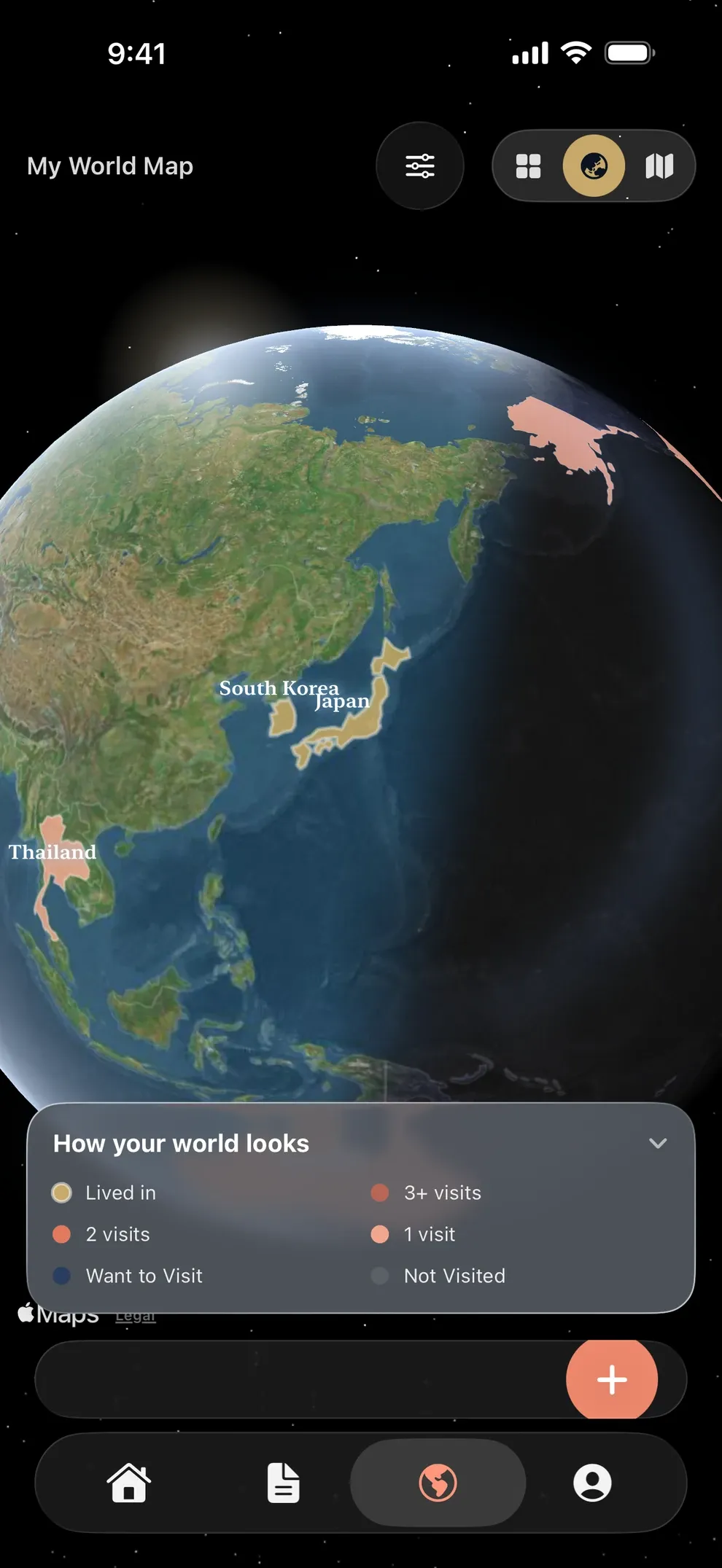
Look back on the map
Revisit trips on the map and timeline — when you were there, and which countries you passed through. Country counts and days add up as quiet statistics.